As an affiliate, we may earn a commission from qualifying purchases. We get commissions for purchases made through links on this website from Amazon and other third parties.
A pH meter usually does not need a full reset just because its readings look wrong. In many cases, cleaning the probe and recalibrating the meter fixes the problem.
A true reset returns some or all meter settings to their default values. The exact reset method depends on the meter, so use the manufacturer’s instructions for the button sequence. After a reset, plan to calibrate the meter again before relying on its readings.
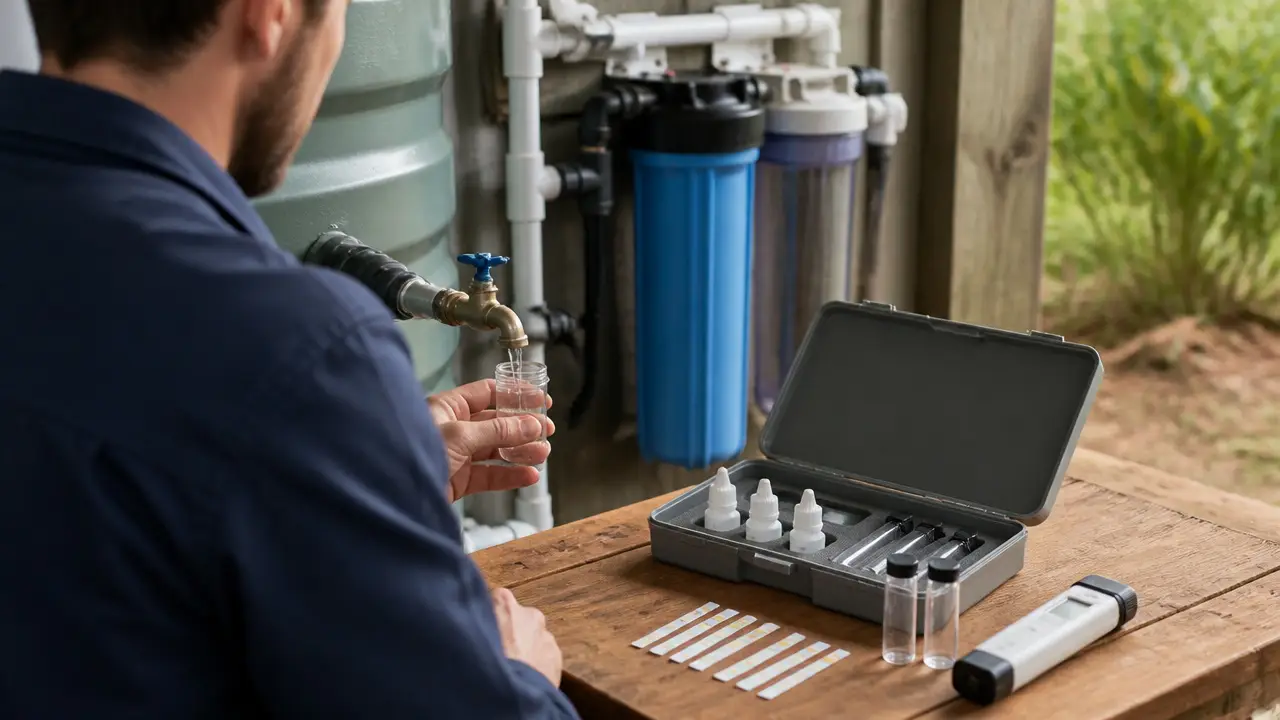
For rainwater systems, remember that a pH meter measures acidity or alkalinity. It does not tell you whether the water is safe to drink.
What Does Resetting a pH Meter Do?
The word “reset” can mean several different things depending on the meter.
A reset may:
- Clear stored calibration data
- Restore factory settings
- Clear saved measurements
- Reset temperature or measurement settings
- Return the meter to its original operating mode
Some simple handheld meters do not have a factory-reset function at all. For those meters, recalibration is usually the closest equivalent.
Resetting also does not repair a worn, dried-out, contaminated, or damaged pH electrode.
Resetting Is Not the Same as Calibrating
This is an important difference.
A reset clears or restores settings.
A calibration teaches the meter what known pH values should look like.
For example, calibration solutions have known pH values. The meter compares its electrode response with those known values and adjusts its measurement accordingly.
If your meter has started drifting, reading slowly, or giving questionable results, recalibration is usually the first thing to try.
A factory reset may be useful when:
- The meter will not calibrate normally
- Calibration data appears corrupted
- Someone changed settings you cannot identify
- The manufacturer specifically recommends resetting during troubleshooting
Do not repeatedly factory-reset a meter when the real problem is a dirty or failing electrode.
How to Reset a pH Meter
Because reset procedures vary by model, there is no safe universal button combination. Some meters use a menu option. Others require holding certain buttons during startup.
Use this general process.
1. Check the Manual First
Look for terms such as:
- Factory reset
- Restore defaults
- Clear calibration
- Calibration reset
- Initialization
- Default settings
Follow the procedure for your exact meter model.
Do not copy a reset sequence from a similar-looking meter. Even meters with the same style of buttons can use different commands.
2. Record Any Settings You Want to Keep
A reset may erase settings such as:
- Stored calibration points
- Temperature settings
- Measurement units
- Alarm limits
- Saved readings
If these matter to you, record them before resetting the meter.
3. Reset the Meter According to Its Instructions
Use the manufacturer’s specified reset command.
Depending on the meter, this may involve a menu setting or a particular startup sequence.
Once completed, the meter may return to its original factory configuration.
4. Inspect and Clean the Probe
Before recalibrating, check the sensing end of the electrode.
A dirty electrode can cause:
- Slow readings
- Drifting readings
- Poor calibration
- Unexpected pH changes
Rinse the probe with clean water as directed by the manufacturer. If deposits are visible, use the recommended electrode-cleaning method rather than scraping or scrubbing the glass sensing bulb.
The glass bulb on many pH electrodes is thin and can break.
5. Make Sure the Electrode Has Not Dried Out
Many common pH electrodes need to remain hydrated.
If the probe has dried out, the manufacturer may require it to soak in an appropriate storage solution before calibration.
Do not assume ordinary tap water or distilled water is suitable for long-term electrode storage. Storage requirements depend on the electrode.
A reset cannot correct a dry electrode by itself.
Recalibrate the Meter After Resetting
Once the reset is complete and the probe is ready, recalibrate the meter before testing your rainwater.
Use fresh calibration solutions that match the meter's calibration system.
Many meters use more than one calibration point. Multiple points help the meter measure accurately across a wider pH range.
A typical calibration process involves:
- Rinsing the electrode.
- Placing it in the first calibration solution.
- Waiting for the reading to stabilize.
- Confirming or completing that calibration point.
- Rinsing the electrode again.
- Repeating the process with the next required solution.
Follow the meter's instructions for the correct solution values and sequence.
Do not pour used calibration solution back into its original bottle. Water or residue from the electrode can contaminate it.
Why a pH Meter May Still Read Wrong After a Reset
If resetting and recalibrating do not solve the problem, the meter may have another issue.
The Calibration Solution Is Old or Contaminated
Calibration depends on solutions with known pH values.
If the solution has been contaminated, diluted, or stored improperly, the meter may appear to calibrate while still producing unreliable measurements.
Use calibration solutions within their stated storage and use limits.
The Electrode Is Dirty
Rainwater samples can contain:
- Fine sediment
- Organic material
- Roof debris
- Algae
- Mineral deposits
Review identifying whether rain is acidic to understand how the test method limits the meaning of its result.
These materials can coat the sensing surface and slow the electrode response.
Clean the electrode according to the manufacturer's instructions before assuming the meter itself has failed.
The Probe Was Stored Incorrectly
Improper storage can affect electrode response.
A meter may take a long time to stabilize after the probe has dried out. In some cases, the electrode may not recover fully.
The Electrode Is Worn Out
pH electrodes do not last forever.
Signs of an aging or damaged electrode can include:
- Very slow stabilization
- Constant drifting
- Repeated calibration failure
- Large differences between repeated measurements
- Inability to recognize calibration solutions
If cleaning, proper hydration, and fresh calibration solutions do not help, the electrode may need replacement if the meter allows it.
The Sample and Calibration Solution Are at Different Temperatures
Temperature affects pH measurement.
Some meters use automatic temperature compensation. This helps correct the electrode response for temperature, but it does not make temperature irrelevant.
For more consistent testing, let the meter, sample, and calibration solutions reach reasonably similar conditions when practical.
How to Check Whether the Meter Is Working After a Reset
After calibration, place the meter back into a fresh portion of one of the calibration solutions.
The reading should settle close to the expected value within the meter's normal accuracy range.
You can also repeat a measurement of the same water sample.
If the reading changes substantially each time without a clear reason, investigate the electrode, calibration solutions, and testing method.
Do not keep adjusting the meter until it gives the result you expect. Calibration should be based on known standards, not on what you think the rainwater pH should be.
How to Measure Rainwater pH More Reliably
A good meter can still give poor results if the sampling method is inconsistent.
Use a clean sample container and test a representative sample of the water you actually want to evaluate.
For example, roof runoff collected directly during a storm may not have the same pH as water that has been sitting in a storage tank.
Rinse the electrode between solutions so you do not carry one sample into another.
Do not wipe the sensing bulb aggressively. Follow the meter maker's guidance, since rubbing some electrodes can affect the reading or damage the probe.
Wait for the reading to stabilize before recording it.
If you are comparing measurements over time, try to use the same sampling method each time.
Does Rainwater Have a Normal pH?
Rainwater pH can vary.
It may be affected by:
- Local air conditions
- Roofing materials
- Dust and debris
- Tank materials
- Stored sediment
- Biological activity
- Water treatment
- How long the water has been stored
A single pH reading therefore needs context.
The pH measured in a rain barrel may also differ from the pH of fresh rainfall because the water has contacted the roof, gutters, screens, pipes, and storage container.
What a pH Meter Cannot Tell You
A pH meter measures acidity and alkalinity. It does not provide a complete water-quality assessment.
It cannot tell you whether rainwater contains unsafe levels of:
- Bacteria
- Viruses
- Parasites
- Metals
- Pesticides
- Fuel or chemical contamination
- Other dissolved contaminants
A normal-looking pH reading does not mean collected rainwater is potable.
Potable means suitable for drinking.
If collected rainwater is being considered for drinking, cooking, or another use where ingestion is likely, treat water safety as a whole-system issue. Collection surfaces, debris control, first-flush management where appropriate, storage, treatment stages, maintenance, and current laboratory testing can all matter. Applicable local requirements should also be checked.
A handheld pH meter is only one measurement tool within that larger process.
When Resetting Probably Will Not Help
Do not expect a factory reset to solve:
- A cracked glass electrode
- A dried-out probe that cannot recover
- A clogged or contaminated electrode junction
- Damaged wiring
- Water intrusion into the meter
- Dead or unstable batteries
- Worn-out sensors
- Incorrect calibration solutions
If the meter repeatedly fails calibration after cleaning, proper storage recovery, fresh calibration solutions, and a reset performed according to its manual, the probe or meter may need service or replacement.
Frequently Asked Questions
Do I need to reset my pH meter before every use?
Usually not. Routine calibration is more important than repeatedly performing a factory reset. Follow the manufacturer's recommended calibration schedule for your meter and how you use it.
Should I calibrate a pH meter after resetting it?
Yes. A factory reset may erase previous calibration information, so recalibrate the meter with appropriate fresh calibration solutions before relying on measurements.
Can I reset a pH meter without calibration solution?
You may be able to restore the meter's settings without calibration solution, but you should not rely on its measurements afterward until it has been properly calibrated.
Why does my pH meter keep drifting after calibration?
Possible causes include a dirty electrode, a dry or aging probe, contaminated calibration solution, temperature changes, or an electrode that has not stabilized. A factory reset alone may not fix these problems.
Can I use distilled water to store my pH probe?
Do not assume distilled water is suitable for storage. Many pH electrodes require a specific storage solution. Follow the instructions for your electrode.
How do I know if my pH electrode needs replacing?
A probe may be near the end of its useful life if it remains slow, unstable, or unable to calibrate after proper cleaning, hydration, and use of fresh calibration solutions.
Does the pH of rainwater tell me if it is safe to drink?
No. pH is only one water-quality measurement. It does not detect many microorganisms, metals, chemicals, or other contaminants that can affect drinking-water safety.